The anatomy of a bio page people actually use
June 5, 2026 · by Gowtham
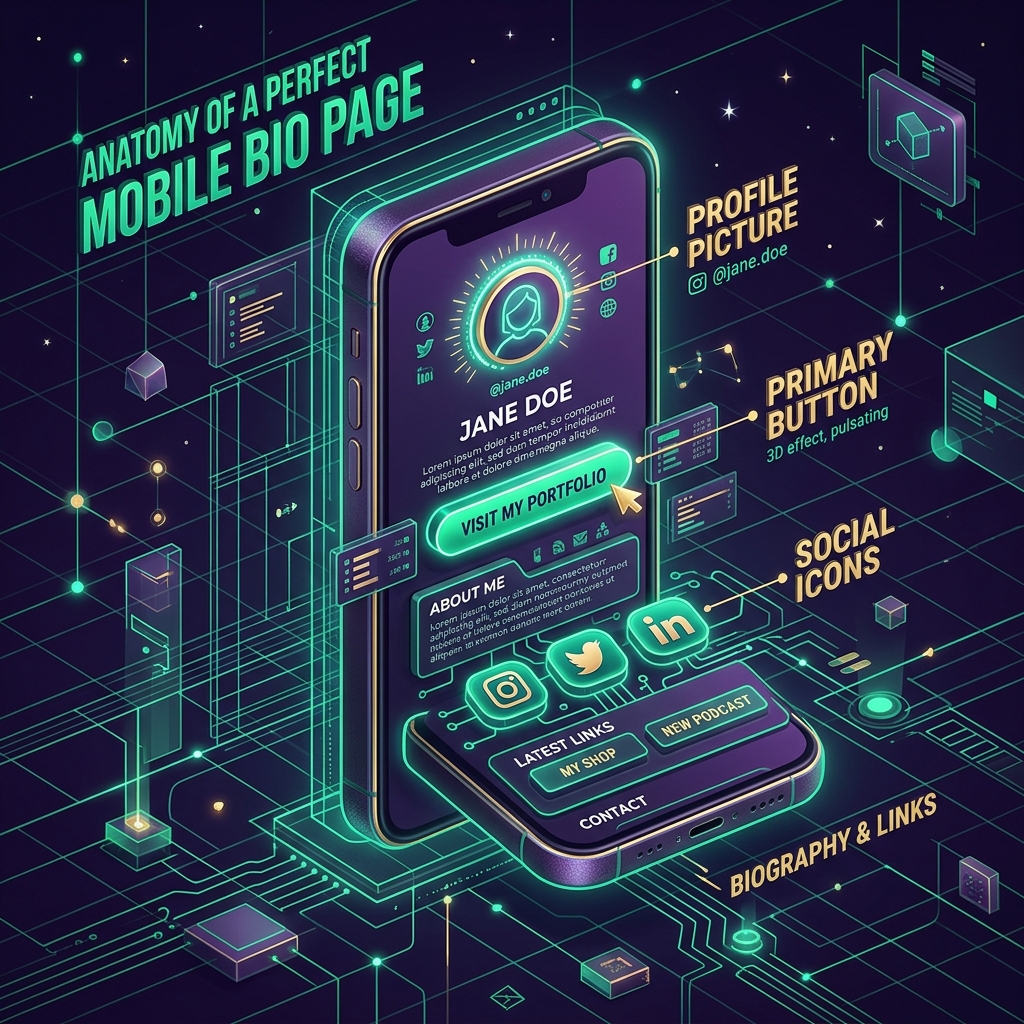
A great bio page is not about flashy design. It is about clarity and trust. When the basics are right, people understand who you are in seconds and feel comfortable clicking. Let us walk through the parts that matter, from top to bottom.
A photo that looks like you
Your profile picture is the first signal of trust. Use a clear, well-lit photo where your face is easy to see, or a clean logo if you are a brand. Avoid busy backgrounds and heavy filters. People connect with people, and a recognisable photo makes your page feel personal rather than anonymous.
A name and a one-line promise
Right under your photo, state who you are and what you offer in a single line. "Filmmaker sharing gear and presets" tells a visitor more than a clever tagline ever will. If someone reads only your name and that one line, they should still understand why they are here.
Links in priority order
Order is everything. The link you most want clicked goes first. People read top to bottom and lose momentum as they scroll, so do not bury your most important action halfway down. Consider giving your top link a stronger visual treatment so it stands out from the rest.
Social icons, kept small
Social icons are useful, but they are a supporting act. Place them near the top as a compact row rather than as full-width buttons. That way they are available for people who want them without competing with your primary links.
Consistent, readable styling
Pick a theme and stick with it. Buttons should be large enough to tap easily on a phone, with enough spacing that nobody mis-taps. Good contrast between text and background is not just an aesthetic choice; it is what makes your page readable in bright sunlight, which is exactly when many people are scrolling.
A reason to trust you
Small details build confidence: a working website link, accurate handles, and a page that loads instantly. When everything feels cared for, visitors assume the same care extends to whatever you are asking them to click.
Why Speed Matters
You have about three seconds before someone loses patience. Heavy images, complex animations, or slow server response times will kill your conversion rate before the user even sees your buttons. Keep it light, fast, and optimized.
The Power of Analytics
Even the perfect anatomy needs constant testing. Keep an eye on your click-through rates. If your primary button isn't getting clicks, change the copy or the color. Anatomy is a starting point, but data is how you evolve.
None of this requires design skills. It requires restraint and a clear sense of what you want people to do. Get the anatomy right and the page does the rest.
Ready to build your page?
Put these ideas into practice with a free LinkinBio page by CodeLove. Get started in seconds.
Create your link for freeRead next
Why You Need a Custom Link in Bio (And Not Just Instagram's Default)
Stop losing out on valuable insights. Here is the real reason why relying purely on standard social media linking is holding you back.
Read article →StrategyWhy one good link beats a wall of links
More links in your bio isn't always better. Here's how to choose the few that actually move people to act.
Read article →